Our Short List of 3

- Specs:
- 13-inch PixelSense touchscreen, 2880 x 1920 resolution
- Snapdragon X Plus processor, 10 cores
- 16GB LPDDR5x RAM
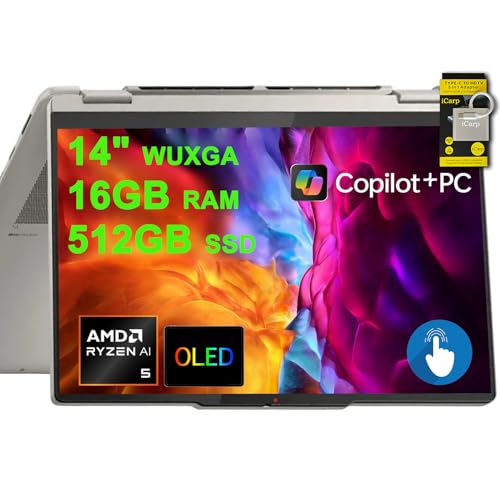
- Specs:
- 14-inch WUXGA OLED touchscreen, 1920 x 1200 resolution
- AMD Ryzen AI 5 340 processor, 6 cores, up to 4.8 GHz boost
- 16GB DDR5 RAM
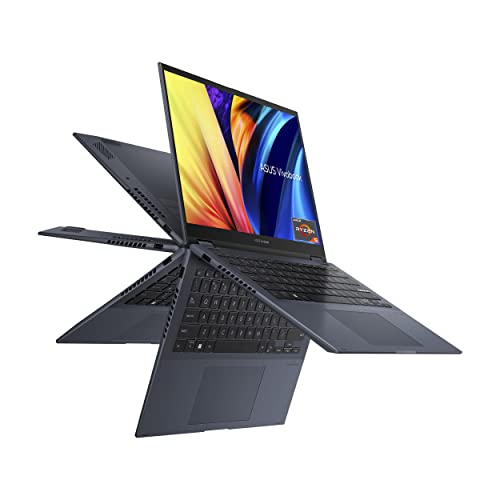
- Specs:
- 14-inch WUXGA touchscreen, 1920 x 1200 resolution
- AMD Ryzen 5 5600H processor
- 8GB DDR4 RAM
All 3 Picks at a Glance
| Product | Specs | Action |
|---|---|---|
| Microsoft Surface Pro 11 |
| Check price on Amazon |
| Lenovo Yoga 7 14 |
| Check price on Amazon |
| ASUS Vivobook S 14 Flip |
| Check price on Amazon |
Key takeaways
- Compare the 4 best tablet touch screen laptops for November 2026: detachable and 360-degree 2-in-1 picks for note-taking, study, and work on the go.
A tablet touch screen laptop is really two devices sharing one purchase, and the decision that matters is how you plan to split your time between them. If most of your day is typing, answering email, and working in documents, a convertible with a full keyboard and a hinge that folds flat will serve you better than a detachable that spends half its life looking for a flat surface. If most of your day is reading, annotating, sketching, or presenting while standing, the lightest detachable with a good pen will feel like the right tool in a way a heavier convertible never quite does.
This guide is for students who take notes by hand, professionals who mark up documents and present from a tablet, and travellers who want one device for both work and reading. The four laptops below were chosen from the names and specifications shown on their Amazon product pages, with each one covering a different balance of portability, screen quality, and everyday computing power.
Quick Picks
As an Amazon Associate we earn from qualifying purchases
| Product | Best for | Key spec from title |
|---|---|---|
| Microsoft Surface Pro 11 | Travelling light and working as a pure tablet | 13-inch touchscreen, Snapdragon X Plus, 16GB RAM, 512GB storage |
| Lenovo Yoga 7 14 | Colour work and pen notes on a vivid OLED screen | 14-inch WUXGA OLED touch display, Ryzen AI 5 340, 16GB RAM, 512GB SSD |
| Dell Inspiron 14 7445 | Everyday work with the strongest processor here | 14-inch FHD+ IPS touchscreen, Ryzen 5 8640HS, 16GB DDR5 RAM, 512GB SSD |
| ASUS Vivobook S 14 Flip | A capable convertible for study and general use | 14-inch WUXGA touch display, Ryzen 5 5600H, 8GB RAM, 512GB SSD |
How to Choose
Detachable tablet or 360-degree convertible
The first choice is the form itself, because it decides how the machine behaves in tablet mode. A detachable such as the Surface Pro 11 separates from its keyboard, so in your hands it is a genuine tablet with a kickstand that props it at almost any angle for reading or drawing. A 360-degree convertible such as the Yoga 7, the Inspiron 14, and the Vivobook S 14 Flip folds its keyboard behind the screen instead, which keeps the keyboard attached and ready but leaves keys under your fingers when you hold it flat. Detachables win on handheld comfort, while convertibles win when you move between typing and touch all day.
Screen size, resolution, and touch quality
Most tablet touch screen laptops in this group use a 14-inch panel, with the Surface Pro 11 going smaller at 13 inches. A taller 16:10 panel, such as the 1920 x 1200 displays on the Yoga 7, the Inspiron 14, and the Vivobook S 14 Flip, shows more of a document or a web page at once and suits reading and note-taking. Resolution matters for pen work too: the Surface Pro 11 pairs a 2880 x 1920 PixelSense touchscreen with a 3:2 shape that suits documents, while the Yoga 7 uses an OLED panel with deep contrast and a wide colour range that makes photos and artwork look richer.
Processor and memory for real workloads
A tablet laptop still has to run full desktop software, so the processor and memory deserve the same attention you would give any laptop. Six-core chips such as the Ryzen 5 8640HS in the Dell and the Ryzen AI 5 340 in the Lenovo handle large documents, many browser tabs, and light photo editing, while the Snapdragon X Plus in the Surface Pro 11 is built for quiet, efficient all-day use. Memory is harder to fix later: 16GB of RAM, fitted to the Surface Pro 11, the Yoga 7, and the Inspiron 14, keeps multitasking smooth, while the 8GB in the Vivobook S 14 Flip suits study and general use but leaves less room for heavy multitasking.
Storage, ports, and the extras that decide daily comfort
Storage, ports, and small comforts decide whether a tablet laptop is pleasant to live with. A 512GB SSD, fitted to all four machines here, holds a working library of documents, applications, and media without constant tidying, and it loads files far faster than the older storage found in budget machines. Look at the keyboard and security features next: a backlit keyboard helps in dim lecture halls and evening flights, a fingerprint reader speeds up sign-in, and a full HD webcam makes video calls clearer. Finally, check what is actually in the box, because a pen or a keyboard that looks included in a photograph may be sold separately on the exact listing you order.
The 4 Best Options
Microsoft Surface Pro 11
- Specs:
- 13-inch PixelSense touchscreen, 2880 x 1920 resolution
- Snapdragon X Plus processor, 10 cores
- 16GB LPDDR5x RAM
The Surface Pro 11 is the closest thing here to a real tablet that can also do laptop work, and that is exactly why it leads this list. Its 13-inch PixelSense touchscreen, at 2880 x 1920, is sharp for reading and annotation, and the built-in kickstand lets you prop it on a desk, a tray table, or your lap without a separate stand. The Snapdragon X Plus processor with 10 cores and 16GB of memory handles documents, browsing, and video calls in silence, and the device weighs far less in tablet form than any convertible with a keyboard permanently attached.
Lenovo Yoga 7 14
- Specs:
- 14-inch WUXGA OLED touchscreen, 1920 x 1200 resolution
- AMD Ryzen AI 5 340 processor, 6 cores, up to 4.8 GHz boost
- 16GB DDR5 RAM
The Yoga 7 14 is the pick for anyone whose tablet time involves colour, drawing, or long reading sessions, because its screen is the standout feature of this group. The 14-inch WUXGA OLED touchscreen, at 1920 x 1200, delivers deep contrast and a wide colour range, with a bright HDR peak that keeps images vivid even in well-lit rooms. Inside, the six-core Ryzen AI 5 340 processor reaches a 4.8 GHz boost, paired with 16GB of DDR5 memory and a 512GB SSD, so it moves comfortably between note-taking, documents, and creative applications.
Dell Inspiron 14 7445
The Inspiron 14 7445 is the workhorse of this group, built for buyers who want the strongest everyday processor and the most practical set of features rather than the lightest tablet. Its AMD Ryzen 5 8640HS processor has six cores and reaches a 4.9 GHz boost, paired with 16GB of DDR5 memory and a 512GB PCIe NVMe SSD, a combination that stays responsive with many applications open at once. The 14-inch FHD+ IPS touchscreen, at 1920 x 1200, uses ComfortView Plus to reduce blue light during long sessions, and the 360-degree hinge gives you laptop, tent, stand, and tablet modes.
- Specs:
- 14-inch FHD+ IPS touchscreen, 1920 x 1200 resolution
- AMD Ryzen 5 8640HS processor, 6 cores, up to 4.9 GHz boost
- 16GB DDR5 RAM
- 512GB PCIe NVMe SSD storage
- AMD Radeon 760M integrated graphics
- Windows 11 Pro
- Backlit keyboard, fingerprint reader, and FHD webcam
- ComfortView Plus display for reduced blue light
- Best for: Students and professionals who want strong everyday performance with a practical convertible design.
- Watch out for: No stylus pen is included in the box, so budget for one separately if pen notes are central to your plans.
ASUS Vivobook S 14 Flip
- Specs:
- 14-inch WUXGA touchscreen, 1920 x 1200 resolution
- AMD Ryzen 5 5600H processor
- 8GB DDR4 RAM
The Vivobook S 14 Flip is the straightforward choice for buyers who want a capable tablet touch screen laptop for study and general use without paying for features they will rarely touch. Its 14-inch WUXGA touchscreen, at 1920 x 1200, uses a 16:10 shape that suits documents and web pages, and the durable 360-degree hinge folds into laptop, tablet, tent, and stand modes. The AMD Ryzen 5 5600H processor, 8GB of DDR4 memory, and a 512GB SSD handle coursework, streaming, and everyday multitasking, while the fingerprint reader and the NumberPad built into the touchpad add small daily conveniences.
Which One Fits Your Situation
You travel constantly and read on the move
Pick the Microsoft Surface Pro 11. Its detachable design and 13-inch screen make it the lightest and most tablet-like option here, and the kickstand props it anywhere without a separate accessory. Add the keyboard only when you need to type at length, and carry the tablet alone for reading, annotating, and presenting.
You sketch, annotate, and care about colour
Pick the Lenovo Yoga 7 14. Its OLED touchscreen shows the richest contrast and the widest colour range in this group, and the pen-friendly capacitive panel makes sketching and handwriting feel natural. The six-core Ryzen AI processor and 16GB of memory keep creative applications running smoothly alongside your notes and drawings.
You need one machine for work, study, and video calls
Pick the Dell Inspiron 14 7445. Its Ryzen 5 8640HS processor and 16GB of DDR5 memory give it the strongest everyday performance here, while the backlit keyboard, fingerprint reader, and full HD webcam suit long working days. The ComfortView Plus display also helps during the long reading sessions that come with study and report writing.
You want a capable convertible on a sensible budget
Pick the ASUS Vivobook S 14 Flip. Its Ryzen 5 processor, 512GB SSD, and 14-inch touch display cover coursework, streaming, and general use, and the fingerprint reader and touchpad NumberPad add convenience without complexity. It is the right choice when 8GB of memory is enough and the tablet modes matter more than top-end speed.
Common Mistakes
- Buying a detachable and assuming the keyboard and pen are included, when the exact listing may sell the tablet on its own.
- Choosing a tablet laptop by screen size alone, without checking whether the panel is 16:10, which shows more of a document at once.
- Picking 8GB of memory for heavy multitasking, then finding several large applications slow down together.
- Ignoring the hinge type, and discovering that a convertible still has its keyboard under your fingers in tablet mode.
- Ordering a configuration by model name only, without confirming the processor, memory, and storage on the exact listing, since the same model name covers several different configurations.
Frequently Asked Questions
Is a tablet touch screen laptop good for taking notes by hand?
Yes, provided the screen supports a pen and the hinge or kickstand holds the device steady while you write. The Surface Pro 11 and the Yoga 7 14 suit handwriting best, because their touch panels are designed for pen input and their tablet modes keep the screen flat and stable. Check that a pen is included or budget for one, since several listings sell it separately.
Do I need 16GB of memory in a 2-in-1 laptop?
Most buyers benefit from 16GB, because it keeps many browser tabs, documents, and applications open together without slowing down. The Surface Pro 11, Yoga 7 14, and Inspiron 14 7445 all carry 16GB, while the Vivobook S 14 Flip carries 8GB. Choose 8GB only when your use is mainly study, streaming, and light office work.
What is the difference between a detachable and a convertible tablet laptop?
A detachable separates from its keyboard entirely, so it becomes a true tablet, while a convertible folds its keyboard behind the screen on a 360-degree hinge. Detachables are lighter in the hand and easier to hold for reading, while convertibles keep the keyboard attached and ready for typing at any moment.
Can a tablet touch screen laptop replace a regular laptop?
Yes, for most study, office, and everyday work, because every machine here runs full Windows 11 and standard desktop software. The main compromises are a smaller keyboard on detachables and a heavier feel in tablet mode on convertibles. Buyers who edit large videos or run demanding specialist software should check that their applications run well on the exact processor first.