Our Short List of 3
- Best for: Desk work and heavy multitasking on a sharp, large touch screen.
- 14.5-inch Touch 3.2K OLED 48-120Hz display
- Intel Core Ultra 7 255H processor with Intel Arc Graphics
- 32GB memory and 1TB SSD
- Backlit English keyboard with fingerprint reader

- Best for: Long days away from a charger with a larger touch screen.
- 15-inch 2K+ touchscreen
- Snapdragon X Elite chip
- 16GB memory and 1TB SSD
- 22-hour stated battery life, backlit keyboard, Wi-Fi 7, Windows 11 Pro

- Best for: Study and everyday work with a flip hinge for reading and notes.
- 14-inch OLED touchscreen
- Intel Core Ultra 7 256V processor
- 16GB RAM and 1TB SSD
- Backlit chiclet keyboard, Thunderbolt 4, Copilot+ PC
All 4 Picks at a Glance
| Product | Specs | Action |
|---|---|---|
| Dell XPS 14 Premium Laptop DA14250 |
| Check price on Amazon |
| Microsoft Surface Laptop 7 |
| Check price on Amazon |
| ASUS Vivobook Flip 14 |
| Check price on Amazon |
 HP OmniBook Ultra Flip 2-in-1 Laptop |
| Check price on Amazon |
Key takeaways
- Compare five touch display laptops with stated screens, processors, memory, and storage, from 2-in-1 convertibles to clamshells, and find your match.
A touch display laptop adds a second way to work on the same machine: tap, scroll, and sign directly on the screen instead of reaching for the trackpad every time. The five laptops below all state a touchscreen or touch display in their own listing wording, together with a brand name, so the touch element is not assumed from a convertible hinge or a model line. Two are standard clamshell laptops and three are 2-in-1 convertibles, and none is a detachable tablet, which keeps this guide about laptops first and touch second.
Each pick below names its screen, processor, memory, and storage as stated in its listing, and every product section carries one verified ASIN marked for re-checking. Use the How to Choose section to settle screen size, hinge style, and memory first, then match a situation in the later section to the laptop that fits it.
Quick Picks
As an Amazon Associate we earn from qualifying purchases.
| Product | Best for | Key spec from title |
|---|---|---|
| Dell XPS 14 Premium Laptop DA14250 | Large, sharp touch screens for desk work | 14.5-inch Touch 3.2K OLED display |
| Lenovo Yoga 9i 2-in-1 Aura Edition | Pen notes on a vivid 4K screen | 14-inch OLED 4K touchscreen |
| Microsoft Surface Laptop 7 | Long battery life in a 15-inch clamshell | 15-inch 2K+ touchscreen |
| ASUS Vivobook Flip 14 | Study and everyday work with a flip hinge | 14-inch OLED touchscreen |
| HP OmniBook Ultra Flip 2-in-1 Laptop | Convertible use with a high-resolution webcam | 14-inch 2.8K OLED touch display |
How to Choose
Start With the Screen, Not the Hinge
The screen is the part you touch all day, so settle its size and resolution before anything else. The laptops in this guide state screens from 14 inches to 15 inches, with resolutions the listings describe as 2K, 2.8K, 3.2K, and 4K, and most use OLED panels. A larger panel shows more of a document or a timeline at once, while a smaller panel keeps the machine lighter in a bag. Resolution matters most for pen work, photo viewing, and reading fine text, where a sharper panel keeps edges clean. Read the listing’s own screen wording rather than trusting a model name, because the same model line can ship with touch and non-touch panels in different configurations.
Settle the Form: Clamshell or Convertible
A standard clamshell opens like a book and stays a laptop, while a 2-in-1 convertible folds its screen flat so the keyboard sits behind it for tablet-style use. Three picks here are convertibles and two are clamshells, and none is a detachable tablet that separates from its keyboard. Choose a clamshell when typing dominates your day and the keyboard never leaves your fingers. Choose a convertible when you annotate documents, sketch, or present standing up, since folding the screen flat removes the keyboard from the way. Either way, confirm the listing states touch wording literally, because a folding hinge alone never proves the screen responds to touch.
Weigh Processor, Memory, and Storage Together
Touch screens do not change how much computing power a laptop needs, so judge the processor, memory, and storage as one package. The picks here state Intel Core Ultra 7 processors or a Snapdragon X Elite chip, with 16GB of memory on three models and 32GB on two, and storage of 1TB on every pick. More memory suits many browser tabs, large documents, and photo editing kept open together, while 16GB suits study, streaming, and everyday office work. Storage of 1TB leaves room for documents, photos, and applications without constant tidying. Match the stated configuration to your workload, and confirm the exact configuration before ordering, since listings vary.
Check the Extras the Listing Actually States
The extras decide daily comfort, but only the ones the listing itself states should guide the choice. Backlit keyboards appear in four of the five listings, fingerprint readers in two, and Wi-Fi 7 in two, while Thunderbolt 4, a 9MP webcam, and a Yoga Pen appear in one listing each. A pen matters only if the listing states one is included, so do not assume a stylus ships in the box when the listing stays silent. Battery life is stated only for the Surface Laptop 7, at 22 hours, so treat any other battery expectation as unconfirmed. Read the listing’s own wording for each extra, and confirm bundle contents before ordering.
The 5 Best Options
Dell XPS 14 Premium Laptop DA14250
- Best for: Desk work and heavy multitasking on a sharp, large touch screen.
- 14.5-inch Touch 3.2K OLED 48-120Hz display
- Intel Core Ultra 7 255H processor with Intel Arc Graphics
- 32GB memory and 1TB SSD
- Backlit English keyboard with fingerprint reader
Desk work and heavy multitasking on a sharp, large touch screen.
Confirm the exact display configuration before ordering, since the listing names a specific 3.2K OLED panel.
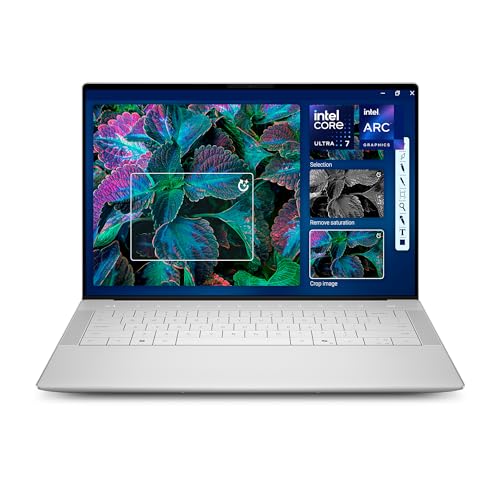
The Dell XPS 14 Premium Laptop DA14250 pairs a 14.5-inch Touch 3.2K OLED display at 48 to 120Hz with an Intel Core Ultra 7 255H processor, Intel Arc Graphics, 32GB of memory, and 1TB of storage. It is a standard clamshell rather than a convertible, so the keyboard stays put and the touch screen serves as a second input beside the trackpad. The backlit keyboard with a fingerprint reader suits long typing sessions and quick sign-in. Its screen size sits between the 14-inch picks and the 15-inch Surface Laptop 7, which keeps it portable.
Watch out for: Confirm the exact display configuration before ordering, since the listing names a specific 3.2K OLED panel.
Lenovo Yoga 9i 2-in-1 Aura Edition
The Lenovo Yoga 9i 2-in-1 Aura Edition pairs a 14-inch OLED 4K touchscreen with an Intel Ultra 7 258V 8-core processor, 32GB of RAM, and a 1TB M.2 NVMe SSD, and it states a Yoga Pen in the listing, which suits handwriting and annotation directly on the screen. As a 2-in-1 convertible it folds flat for tablet-style reading and sketching, while the full keyboard stays attached for typing. Wi-Fi 7 and Windows 11 Pro round out the listing. The Cosmic Blue finish is the colour stated, and the Copilot+ wording marks it as part of the current AI-featured laptop group.
Specs
- 14-inch OLED 4K touchscreen
- Intel Ultra 7 258V 8-core processor
- 32GB RAM and 1TB M.2 NVMe SSD
- Yoga Pen included, Wi-Fi 7, Windows 11 Pro
Best for: Pen notes, sketching, and annotation on a vivid 4K touch screen.
Watch out for: The listing states one colour, Cosmic Blue, so confirm the finish suits you before ordering.
ASIN: ⚠ B0FTBSZ4TD
Microsoft Surface Laptop 7
- Best for: Long days away from a charger with a larger touch screen.
- 15-inch 2K+ touchscreen
- Snapdragon X Elite chip
- 16GB memory and 1TB SSD
- 22-hour stated battery life, backlit keyboard, Wi-Fi 7, Windows 11 Pro
Long days away from a charger with a larger touch screen.
The listing states 16GB of memory, so confirm that suits your multitasking before ordering.
The Microsoft Surface Laptop 7 is the only 15-inch pick here, with a 15-inch 2K+ touchscreen, a Snapdragon X Elite chip, 16GB of memory, and 1TB of SSD storage, in a standard clamshell body. Its listing states 22-hour battery life, the only battery figure stated in this group, which suits long days away from a charger. The backlit keyboard, Wi-Fi 7, and Windows 11 Pro complete the package, and Black is the colour stated. With no folding hinge, the touch screen complements the trackpad rather than acting as a tablet mode, which suits buyers who type most of the day and tap the screen to scroll and sign.
Watch out for: The listing states 16GB of memory, so confirm that suits your multitasking before ordering.
ASUS Vivobook Flip 14
- Best for: Study and everyday work with a flip hinge for reading and notes.
- 14-inch OLED touchscreen
- Intel Core Ultra 7 256V processor
- 16GB RAM and 1TB SSD
- Backlit chiclet keyboard, Thunderbolt 4, Copilot+ PC
Study and everyday work with a flip hinge for reading and notes.
No pen is stated in the listing, so budget for one separately if pen notes matter to you.
The ASUS Vivobook Flip 14 is a 2-in-1 laptop with a 14-inch OLED touchscreen, an Intel Core Ultra 7 256V processor, 16GB of RAM, and 1TB of SSD storage, which suits study and everyday work at a lighter memory configuration than the 32GB picks. Its flip hinge folds the screen flat for reading and note-taking, while the backlit chiclet keyboard and Thunderbolt 4 port cover typing and fast external connections. The Copilot+ PC wording places it in the current AI-featured laptop group, and the OLED panel keeps text and photos vivid. It is the most straightforward convertible here, with no pen or webcam feature stated.
Watch out for: No pen is stated in the listing, so budget for one separately if pen notes matter to you.
HP OmniBook Ultra Flip 2-in-1 Laptop
- Best for: Video calls and convertible use with a high-resolution webcam.
- 14-inch 2.8K OLED touch display
- Ultra 7 processor, 16GB memory, 1TB storage
- Copilot+ PC, Intel Evo Edition processor, 47 TOPS
- Backlit keyboard, fingerprint reader, 9MP webcam, Windows 11 Pro
Video calls and convertible use with a high-resolution webcam.
Confirm the exact processor configuration before ordering, since the listing states the Ultra 7 family rather than a numbered chip.
The HP OmniBook Ultra Flip 2-in-1 Laptop states a 14-inch 2.8K OLED touch display, an Ultra 7 processor, 16GB of memory, and 1TB of storage, with Copilot+ PC wording and an Intel Evo Edition processor rated at 47 TOPS. Its 9MP webcam is the highest resolution webcam stated in this group, which suits video calls, while the backlit keyboard and fingerprint reader cover typing and sign-in. As a 2-in-1 it folds flat for tablet-style use, and the OLED touch panel suits photo viewing and annotation. The listing states Windows 11 Pro, which suits buyers who want the Pro edition of the operating system stated rather than assumed.
Watch out for: Confirm the exact processor configuration before ordering, since the listing states the Ultra 7 family rather than a numbered chip.
Which One Fits Your Situation
You Work Mostly at a Desk With a Mouse Nearby
Pick the Dell XPS 14 Premium Laptop DA14250. Its 14.5-inch 3.2K OLED touch screen gives the sharpest stated display in this group for documents and timelines, and 32GB of memory keeps many applications open together. The clamshell form keeps the keyboard fixed in place, which suits long typing sessions, and the fingerprint reader speeds sign-in. Touch works here as a second input for scrolling and signing, not as a replacement for the mouse.
You Take Notes by Hand and Mark Up Documents
Pick the Lenovo Yoga 9i 2-in-1 Aura Edition. It is the only pick whose listing states a pen, the Yoga Pen, and its 4K OLED touchscreen gives the finest stated resolution for handwriting and sketching. The 2-in-1 hinge folds flat so the keyboard stays out of the way while you write, and 32GB of memory keeps creative applications running beside your notes. Wi-Fi 7 and Windows 11 Pro complete a package built around pen-first work.
You Travel Light and Work From Small Spaces
Pick the Microsoft Surface Laptop 7 or the ASUS Vivobook Flip 14. The Surface Laptop 7 states 22-hour battery life and a 15-inch screen for long days away from a charger, while the Vivobook Flip 14 folds flat for reading in tight seats with a 14-inch panel. Both state 16GB of memory and 1TB of storage, which suits everyday work on the move. Choose the Surface Laptop 7 for battery life and the Vivobook Flip 14 for hinge flexibility.
You Want a Vivid Screen for Photos and Video Calls
Pick the HP OmniBook Ultra Flip 2-in-1 Laptop. Its 14-inch 2.8K OLED touch display keeps photos vivid, and its 9MP webcam is the highest resolution webcam stated in this group, which suits video calls. The 2-in-1 hinge folds flat for showing photos to someone beside you, and the fingerprint reader and backlit keyboard cover everyday use. Windows 11 Pro is stated in the listing, which suits buyers who want the Pro edition confirmed.
Common Mistakes
- Buying on the hinge alone: a folding hinge never proves the screen responds to touch, so confirm the listing states touchscreen or touch display literally.
- Assuming a pen is included: only the Yoga 9i listing states a pen, so confirm pen inclusion in the listing before ordering any other pick.
- Ignoring memory: 16GB suits everyday work, while 32GB suits heavy multitasking, so match the stated memory to your workload.
- Confusing configurations: the same model line can ship with different screens and memory, so confirm the exact configuration named in the listing.
- Overlooking bundle contents: confirm what ships in the box, since listings vary on included accessories and extras.
Frequently Asked Questions
Does every laptop here have a touchscreen?
Yes. Every pick states a touchscreen or touch display in its own listing wording, together with a brand name, so the touch element rests on the listing itself, not on a hinge or model line. Two picks are standard clamshells and three are 2-in-1 convertibles, and none is a detachable tablet. If another listing states no touch wording, treat its screen as non-touch until the listing says otherwise.
Is a 2-in-1 convertible the same as a tablet?
No. A 2-in-1 convertible keeps its keyboard attached and folds the screen flat, while a detachable tablet separates from its keyboard entirely. Three picks here are convertibles and two are clamshells, and none separates from its keyboard. Convertibles suit annotation and presenting, while clamshells suit typing-heavy days, and the choice comes down to how you split your time between the two.
How much memory should a touch display laptop have?
It depends on your workload. The picks here state 16GB on three models and 32GB on two, with 1TB of storage on every pick. Choose 16GB for study, streaming, and everyday office work, and 32GB when you keep many browser tabs, large documents, and photo editing open together. Memory is harder to change later than storage, so settle it before ordering.
Do I need a pen for a touch display laptop?
Not necessarily. A pen suits handwriting, sketching, and annotation, but only the Yoga 9i listing here states a pen is included. The other listings state no pen, so confirm pen inclusion in the listing wording before ordering if pen notes matter to you. Fingers and the trackpad cover scrolling, tapping, and signing on every pick without any accessory.