Key takeaways
- Build the best gaming set up with our guide to desks, displays, PCs and consoles, peripherals, audio, seating, lighting and cable management for long sessions.
The best gaming set up is not a single product you can buy in one box. It is a desk, a screen, a machine to play on, and the peripherals around them, arranged so that long sessions feel comfortable and every game looks and sounds its best. This guide reads “best gaming set up” exactly that way: a guide to building and arranging a gaming setup, not a roundup of one gadget. Whether you play on a PC, a console, or both, the same pieces matter, and the order you choose them in matters more than any single upgrade.
A good setup starts with the space you actually have, not the setup in a photo. Measure the desk, check the distance from your eyes to where the screen will sit, and think about light and noise. A setup that fits your room and your body will beat a more expensive one that fights both. The sections below walk through each part in the order most people should buy it and finish with the questions readers ask most often.
As an Amazon Associate, we earn from qualifying purchases.
Quick Picks: Four Setups That Work
| Setup style | Best for | Start with |
|---|---|---|
| Starter desk setup | First PC or console desk, one screen | A sturdy desk, a comfortable chair, and a headset you already own |
| Competitive PC setup | Fast-paced online games | A high refresh rate monitor, a light mouse, and a wired connection |
| Living-room console setup | Couch play on a big screen | A large television, a wireless controller, and a headset for late nights |
| Streamer and creator setup | Playing while recording or streaming | A second screen, a good microphone, and lighting that flatters a camera |
The Desk and the Room
Every gaming setup starts with the surface everything sits on. A desk needs to be deep enough that the monitor can sit an arm’s length from your eyes with the keyboard in front of it, and wide enough that the mouse has room to move without hitting the edge. If the desk is too shallow, the screen ends up too close and the keyboard crowds your wrists. If it is too narrow, the mouse runs out of space in the middle of a match.
Stability matters more than looks. A desk that wobbles when you lean on it will shake the monitor and make precise aiming harder. Check that the legs are solid and the top does not flex under the weight of a monitor, a tower, and your arms. A height-adjustable desk is worth considering if you play for hours, since standing between sessions breaks up long sits, but a fixed desk at the right height works just as well.
Think about the room around the desk too. A window behind the monitor creates glare on the screen, while a window behind you can reflect in a glossy display. A wall to one side gives you somewhere to mount shelves or acoustic panels, and a door that opens into your chair’s space will become a daily annoyance. Leave a clear path for cables to reach a wall outlet without crossing a walkway, and leave a little empty desk space on one side. Setups grow over time, and a setup with no spare room forces you to rebuild the whole thing for one new accessory.
The Display: The Part You Actually Look At
The display is the single most visible part of any gaming setup, and it deserves the biggest share of your attention. On a PC, the monitor’s refresh rate decides how smooth motion looks: a higher refresh rate shows more frames each second, which makes fast games feel more responsive. Resolution decides how sharp the picture is, and panel type affects color and viewing angles. A fast monitor with a modest resolution often suits competitive play better than a very sharp monitor that updates slowly, while a large, sharp screen suits story-driven games where the picture matters most.
Size should follow distance. On a desk, a screen in the mid-twenties of inches suits most players, with larger screens working better if you sit further back. A screen that is too large for the distance fills your vision and forces constant head turning. An ultrawide monitor gives extra horizontal space that suits racing and simulation games, while two monitors let you keep a game on one screen and chat, a map, or a stream on the other. Neither is required for a good setup; one well-chosen screen beats two mediocre ones.
Position the display so the top of the screen sits roughly at eye level and the screen is about an arm’s length away. A monitor arm makes this easy to adjust and frees desk space that a factory stand would occupy, but a stack of books or a simple riser can achieve the same height in a pinch. Tilt the screen slightly so you look at it straight on, and avoid placing it where a lamp or window reflects directly into it.
For console players, the television is the display, and the same ideas apply at a bigger scale. A television with a dedicated game mode reduces the delay between pressing a button and seeing the result, and a screen with a high refresh rate shows smoother motion when the console supports it. Sit far enough back that the whole screen fits comfortably in view, and keep the console where air can circulate around it.
The Machine: PC, Console, or Both
A gaming setup is built around a machine, and the choice between a PC and a console shapes everything else. A gaming PC offers the widest choice of games, adjustable settings, and upgrades over time, and it doubles as a machine for work, study, and streaming. A console is simpler: it turns on, plays games, and needs no assembly or settings menus before the first match. Many players end up with both, using the PC at a desk and the console in the living room, but one machine played well is better than two that divide your time and budget.
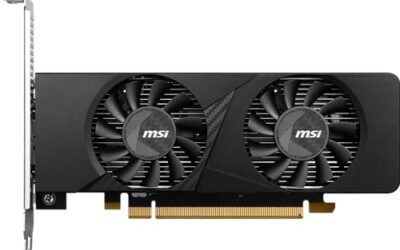
If you choose a PC, the graphics card and processor decide how demanding a game you can run, while memory and storage decide how smoothly it runs and how many games you can keep installed. A solid-state drive makes games load far faster than an older spinning drive, and enough memory keeps the system from stuttering when a game and a browser are open at once. The case needs airflow: a tower packed into a closed cabinet will run hot and loud no matter how good the parts inside are. Leave space behind it for exhaust air, and clean dust out of the filters every few months.
If you choose a console, the setup is simpler but the details still matter. Give the console ventilation, keep its storage from filling completely, and connect it with a proper cable rather than relying on a weak wireless signal. A console setup also benefits from a comfortable seat at the right distance, which is why living-room setups deserve as much thought as desk setups.
Either way, the network connection matters. A wired Ethernet cable gives the most stable connection for online play, with less delay and fewer dropouts than wireless. If the router is in another room, a long cable run, a powerline adapter, or a mesh node near the desk can bring a stable connection to the setup without drilling holes.
Keyboard, Mouse, and Controller
The parts of a setup you touch constantly deserve attention to fit, not just to features. A keyboard for gaming usually has mechanical switches, which give a consistent feel and respond quickly, but the layout matters as much as the switches. A compact layout frees desk space for the mouse, while a full-size board keeps the number pad for players who use it. Backlighting helps in a dark room, and a detachable cable makes the keyboard easier to move and store.
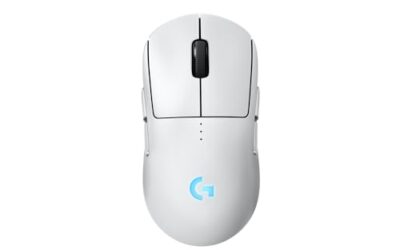
A gaming mouse should be chosen by hand size and grip style first. A large palm-grip mouse supports the whole hand during long sessions, while a small, light mouse suits a claw or fingertip grip and fast flicks. Weight matters: a lighter mouse is easier to move quickly, but some players prefer a heavier mouse for stability. Extra buttons are useful for binding actions in games, but no number of buttons compensates for a shape that cramps your hand. A large, smooth mousepad gives the mouse room to travel and protects the desk, and it is one of the cheapest meaningful upgrades in any setup.
Controllers are the right choice for many console games and for PC games designed around them, from racing to platformers. A standard wireless controller suits most players, while a premium controller with remappable paddles and adjustable sticks suits competitive players who want extra inputs without moving their thumbs. Keep a charging cable or dock within reach so a dead controller never ends a session.
Audio: Headset or Speakers
Sound is half the game, and it is the part most new setups neglect. A good headset delivers directional audio that reveals footsteps and distant action, and its microphone keeps voice chat clear. Comfort matters most: a headset that clamps too hard or weighs too much becomes painful within an hour, so look for soft ear cushions, an adjustable headband, and a weight you forget you are wearing. Wired headsets avoid battery worries and delay, while wireless headsets remove a cable from the desk.
Speakers suit players who share a room or dislike wearing a headset. A pair of small desktop speakers fills a desk setup with sound, and a soundbar can sit neatly under a monitor. Speakers will never match a headset for hearing quiet directional cues, and they can disturb others late at night, so many players keep both: speakers for relaxed play, a headset for competitive games and late sessions.
Whatever you choose, keep the volume at a level where you can still hear the room. Long sessions at high volume tire the ears, and a setup that protects your hearing is one you can enjoy for years.
The Chair and Ergonomics
A gaming setup is somewhere you sit for hours, so the chair is not decoration. The right chair supports the lower back, lets your feet rest flat on the floor, and keeps your knees at about a right angle. Armrests should support your forearms without pushing your shoulders up, and the seat should be deep enough to support your thighs without pressing behind your knees.
Gaming chairs with high backs and side bolsters suit players who like a snug, upright seat, while a good office chair often offers better lower-back support and adjustment for long sessions. Either can work; the test is sitting in it for an hour, not looking at it for a minute. A footrest helps if the chair is too tall for your legs, and a cushion or lumbar roll can fix a chair that is almost right.
Ergonomics is the whole arrangement, not just the chair. The monitor at eye level, the keyboard at elbow height, and the mouse within easy reach together prevent the neck and wrist strain that ruins long sessions. Take a short break every hour: stand, stretch, and look at something far away. No setup, however well built, replaces movement.
Lighting, Atmosphere, and Cable Management
Lighting changes how a setup feels more than almost any hardware upgrade. The goal is even, indirect light with no glare on the screen. A monitor light bar washes light down across the desk without shining into your eyes, while a lamp placed to the side and slightly behind the monitor lights the desk without reflecting in the display. Accent lighting behind the monitor or along the wall adds atmosphere and reduces the contrast between a bright screen and a dark room, which eases eye strain in evening sessions.
Colored lighting is a matter of taste. A little accent light makes a setup feel personal; a whole room of flashing color becomes a distraction. Choose one or two colors that suit the room, keep the brightness modest, and remember that the game on the screen should be the brightest thing in view.
Cable management is what separates a finished setup from a work in progress. Route cables through a tray or raceway under the desk, keep the power strip inside the tray so only one cord runs to the wall, and label both ends of any cable you might unplug. Short cables where possible, leave a little slack at each device so the setup can move, and keep power cables separate from audio cables where you can. A tidy setup is easier to clean, easier to upgrade, and far less likely to pull a monitor off the desk when a cable snags.
Buying Guide: What to Prioritize and in What Order
Start with the pieces that affect every game: the display, the chair, and the input devices. A good monitor, a supportive chair, and a keyboard and mouse that fit your hands will improve every session, whatever you play. Next comes audio, because a good headset changes how games sound and how well you communicate. Then come the upgrades that polish the experience: a monitor arm, lighting, a larger mousepad, and cable management.
Avoid buying everything at once. A setup built in stages lets you learn what actually bothers you before spending on a fix. If the screen feels too low, a monitor arm solves it. If your wrist aches, a different mouse or a wrist rest solves it. If the room is dark and your eyes tire, lighting solves it. Each problem points at its own upgrade, and buying in response to real problems wastes less than buying a full setup from a photo.
When comparing options, read the listing carefully and check what is actually included. Some monitors ship without a cable you need, some headsets need a separate adapter for a console, and some desks need assembly tools you may not own. Check compatibility before ordering: the monitor’s mounting pattern, the headset’s connection, the keyboard’s layout, and the desk’s weight limit all matter more than the brand name on the box.
Frequently Asked Questions
How much desk space do I need for a good gaming setup?
Enough room for the monitor an arm’s length from your eyes, the keyboard in front of it, and the mouse with space to move freely. A deeper desk suits a large monitor, while a wider desk suits two screens or a console setup. If the desk feels crowded, a monitor arm and a compact keyboard free up the most space.
Is one monitor or two better for a gaming setup?
One good monitor is better than two mediocre ones. A second screen is genuinely useful for keeping chat, a map, or a stream open while you play, and for streaming, where the second screen holds your broadcast software. If you mostly play single-player games, one screen is plenty.
Do I need a gaming chair, or will an office chair work?
Either can work. A gaming chair suits players who like a high back and a snug seat, while a good office chair often offers better adjustment and lower-back support. Sit in the chair for a long session before judging it, and make sure your feet rest flat on the floor.
Wired or wireless for a gaming setup?
Wired wins for stability: a wired network connection, keyboard, mouse, and headset all avoid batteries, interference, and delay. Modern wireless peripherals are close enough that most players will not notice a difference, so choose wireless where a cable genuinely gets in the way, and wired where reliability matters most.
How do I keep my gaming setup tidy?
Route cables through a tray under the desk, keep the power strip inside the tray, and give every device a fixed place. A monitor arm removes a stand from the desk, a headset stand keeps the headset off the surface, and a few minutes of tidying after each session stops clutter from building up.
Conclusion
The best gaming set up is the one that fits your room, your body, and the games you actually play. Start with a solid desk, a display at eye level, a machine that runs your games well, and input devices that fit your hands. Add good audio, a supportive chair, and thoughtful lighting, then finish with cable management that keeps the whole thing tidy. Build in stages, fix real problems before imagined ones, and leave room to grow. A setup built that way does not need to be the most expensive one in any photo. It needs to be the one you sit down at every day and forget about, because the game is the only thing left to notice.